Single
$9.90
One video, to see how it looks.
- 100 credits
- 1 standard video
- Credits valid for 12 months
- Failed videos refunded automatically
Upload one photo of your car and the AI drops it into a filmed street scene: a cabin-view chase, a smoky burnout out of the lot and a crowd at the railing, cut like a racing-game trailer. Three scenes, sound included, nothing to install.

Your car
Replaces the black coupe
Group photos won't work. One vehicle per photo, the whole car in frame, side or three-quarter view, in daylight. Trucks and SUVs work too. JPG, PNG or WebP.
Template
Quality
Your video follows this edit shot for shot: the cabin view, the burnout, the crowd at the railing. Only the hero car changes, to yours.
There are three: Burnout (15 s), Pickup (14 s, made for trucks) and Street chase (15 s). Each takes one car photo and costs the same.
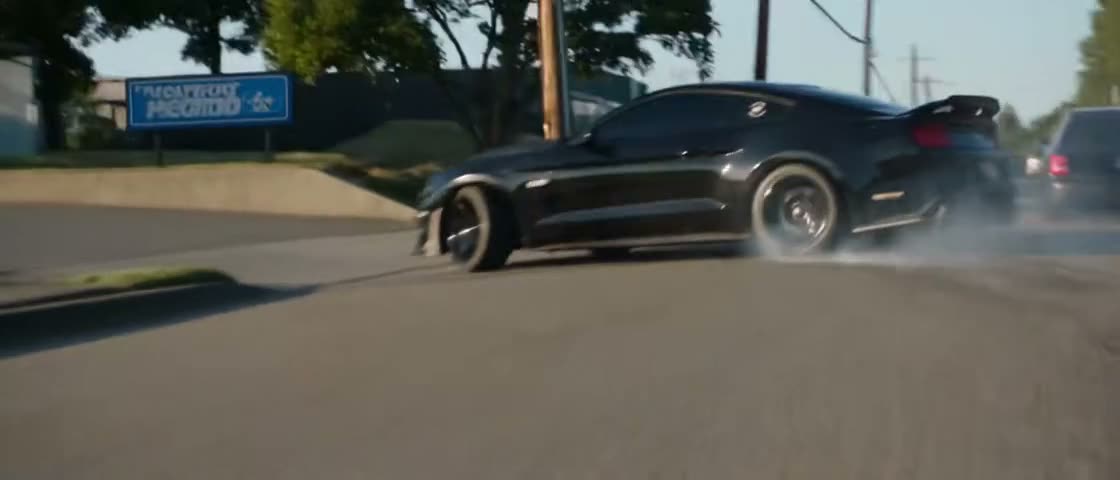
1 photo · 15 s · Widescreen 2.35:1
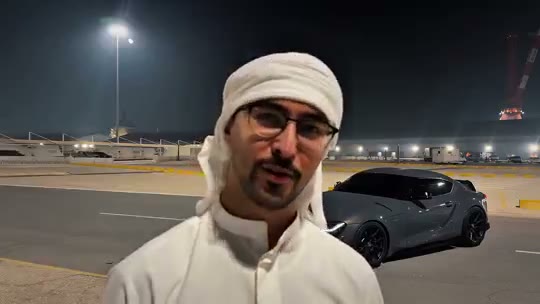
A cabin-view chase, a smoky burnout out of the lot, people at the railing, then a roll past the drive-thru.
Your photo: replaces the black coupe.
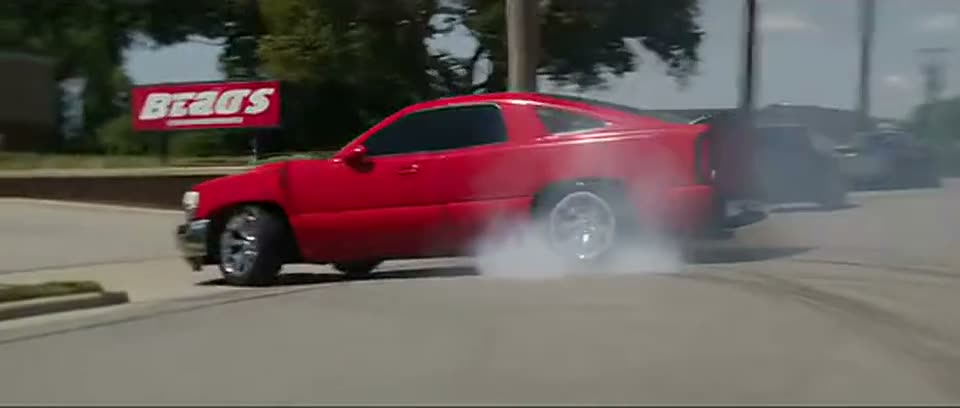
1 photo · 14 s · Widescreen 2.35:1
Built for trucks: a cabin-view tail, a burnout past the shop sign, a crowd at the rail, a slow roll-by.
Your photo: replaces the red pickup.
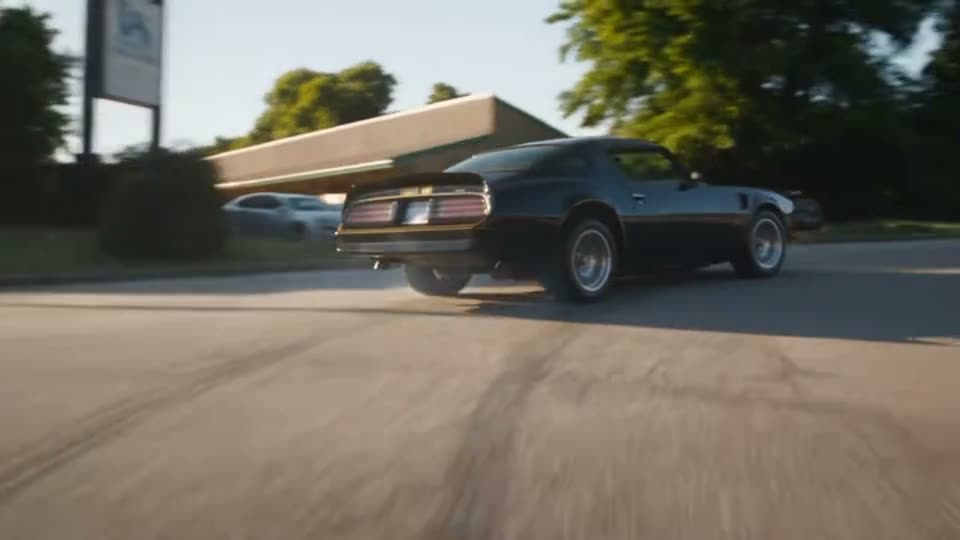
1 photo · 15 s · Widescreen 16:9
Burnout out of the lot, headlights at dusk, then a low tracking chase down an open street.
Your photo: replaces the black-and-gold car.
Also called: Need for Speed AI video · Need for Speed AI car trend · NFS AI video generator · NFS-style car video · Need for Speed cinematic car AI · Need for Speed AI car swap.
Choose a scene, upload one photo of your car, press Generate. The cuts, the camera moves, the smoke and the sound come with the scene.
Burnout and Street chase suit cars and coupes. Pickup was shot around a lowered truck, so it suits pickups and SUVs. Press Preview on any card to watch it with sound.
Use a sharp daylight photo that shows the whole vehicle from the side or a three-quarter angle. The AI copies its body, paint, wheels and stance into every shot.
Pick Standard 480p (100 credits), HD 720p (200) or Full HD 1080p (600). The render takes a few minutes and lands under “My videos”, sound included, ready for TikTok, Reels or Shorts.
Mostly people who want their own car in a cinematic clip today, without a camera car, a closed road or an editing app.
Show off a fresh wrap, new wheels or a lowered stance in a movie-style edit, without renting a camera car or closing a road.
The Pickup scene was built around a lowered single-cab truck, so a pickup or SUV photo fits it better than a car template would.
Join the Need for Speed AI car trend with one photo, and skip the CapCut template hunt and the timeline editing.
Buy credits once, use them on any tool within a year. Failed videos are refunded.
$9.90
One video, to see how it looks.
Most popular
$19.90
Try it with a few clips.
$49.90
For you, your friends and a few retakes.
$89.90
For creators posting the trend every week.
A scene tool such as this page recreates a filmed edit with your car in it. A CapCut template is quicker for a light effect, and a prompt workflow fits when you want to direct your own scene.
| Option | What you give it | What you get | Best for |
|---|---|---|---|
| Burning Bridges AI (this page) | One photo of your car | A 14–15 s burnout or chase scene with its sound | A finished, shot-for-shot cinematic edit with your car as the hero |
| CapCut photo-to-video templates | One photo, inside the CapCut app | Whatever motion the template’s author set up | People who already edit in CapCut and want a quick effect |
| An image model plus a video model | Your photo, prompts for a styled still, then prompts for the motion | A clip you direct yourself, shot by shot | Creators who want their own scene, such as the GPT Image and Seedance 2.0 workflow shown on Instagram |
Details for the other options come from the linked TikTok tutorial and Instagram post, as of November 20, 2026.
The Need for Speed AI car trend is a TikTok trend from November 2026 in which people turn a photo of their own car or truck into a cinematic drift or burnout clip.
The trend takes its name from Need for Speed, the racing game series Electronic Arts has published since 1994. The clips borrow that look: tire smoke, motion blur, low chase-camera angles and a crowd watching the car leave.
In November 2026, TikTok tutorials titled “How to make the Need for Speed AI car trend” spread the effect. Most of them use a photo-to-video template in CapCut, and many tag trucks as well as cars. The videos are AI-generated: no car in them really did the burnout.
Where the trend came from, and how to get the best video out of it.
One credit balance works for every trend. Pick another clip and star in that one too.
Last updated . Credit prices and clip lengths are read from the generator itself.
Pick Burnout, Pickup or Street chase, add one photo of your car, and get your NFS-style edit in a few minutes.