Burning Bridges AI logo

End of WatchLocker Scene AI

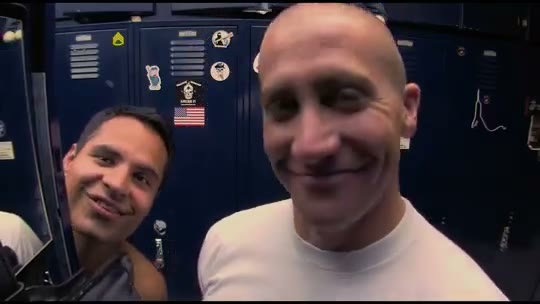
One photo in. End of Watch Locker Scene AI puts you in the film’s famous locker room opening — the fisheye close-up, the light flaring into the lens, the cuffs, the mags. Add a friend and they lean in as your partner.
  • 1 or 2 photos
  • People or pets
  • 12-second locker scene
  • No prompt

Make your End of Watch locker scene

You, gearing up in the example video

You, gearing up

Every shot

Your partner in the example video

Your partner

Leans in, 1–3 s

Group photos won't work. One person or pet per photo, face clearly visible, chest up, good light. Only the first is required; leave the partner empty to keep the original.

Quality

The locker room gear-up every video recreates, shot for shot: the close-up, the light in the lens, the cuffs, the mags. You add the officer, and your partner if you like.

What is the End of Watch locker scene trend?

The opening of David Ayer’s 2012 cop drama End of Watch: an officer films himself in the locker room, showing off his gear item by item while his partner teases him. In August 2026 AI remakes took over TikTok, and every version follows the same shots.

  1. 0 to 3 s

    The close-up

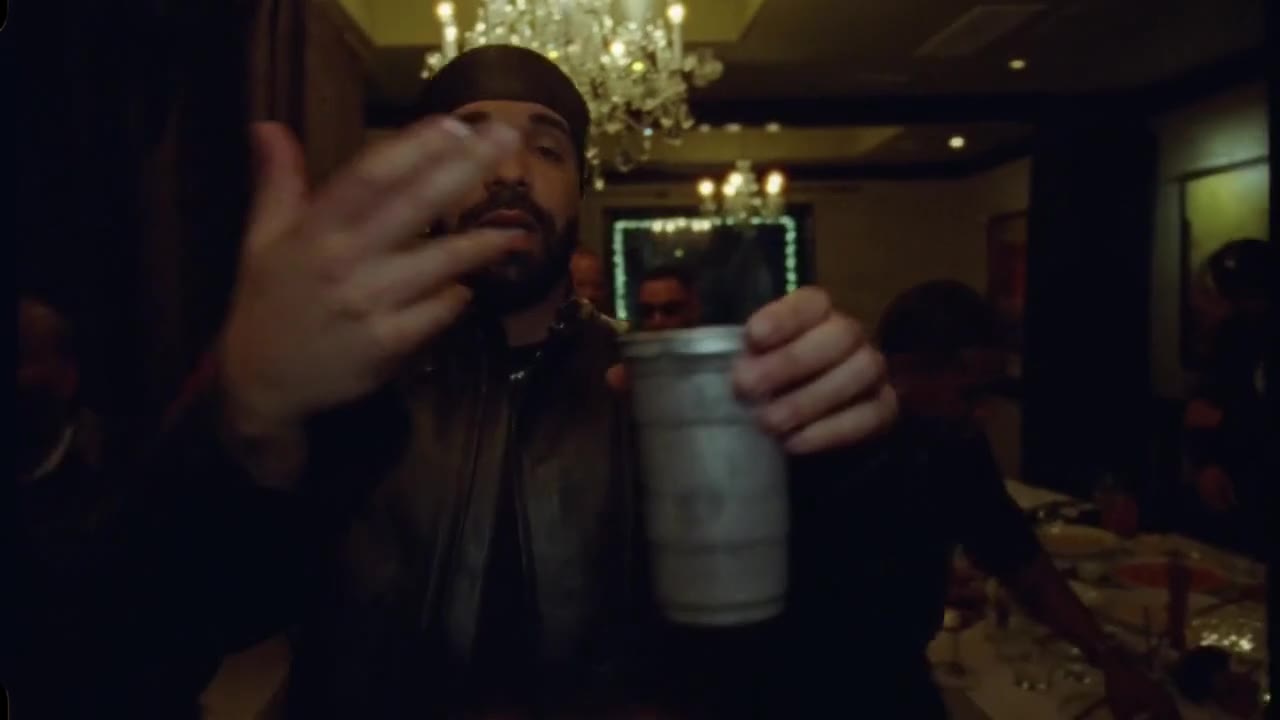
    A fisheye camera right up in the officer’s face, talking and grinning into the lens, as the partner leans in from behind the locker door to grin along.

  2. 3 to 7 s

    The light

    The pistol comes up, turns toward the lens, and its mounted light flares the whole frame white.

  3. 7 to 12 s

    The rest of the gear

    Handcuffs held up in both hands, a glance down, a small canister, then two spare magazines held up to the camera, one in each hand.

Also called: End of Watch locker scene AI · End of Watch AI · End of Watch locker room scene · End of Watch locker scene meme · End of Watch AI template · Jake Gyllenhaal locker scene · Locker scene trend.

How to make the End of Watch locker scene with AI

No prompt to write and no template to find. The locker room, the gear and the four shots are built in.

  1. 1

    Add your photo

    One clear photo of you for the officer, who is in every shot. If you like, add a second photo for the partner who leans in at the start; leave it empty and the original partner stays.

  2. 2

    Press Generate

    Pick Standard 480p for 100 credits, HD 720p for 200 or Full HD 1080p for 600, the same with or without a partner. Every video is 12 seconds long and landscape like the film. The locker room, the gear and the cuts are already loaded.

  3. 3

    Add a sound and post

    Rendering takes a few minutes and you can close the tab meanwhile. The video comes without sound, like the clip it recreates: add the locker scene sound or your own track in TikTok, Reels or CapCut.

Photos that work best

  • One person or pet per photo, not a group shot.
  • Face the camera, face clearly visible, good light.
  • Chest up works best: the clip is all close-ups.
  • You keep the outfit from your photo: a plain white T-shirt looks closest to the film.
  • Only adults who agreed to appear. No minors or celebrities.

Pay per video, no subscription

Buy credits once, use them on any tool within a year. Failed videos are refunded.

Single

$9.90

One video, to see how it looks.

  • 100 credits
  • 1 standard video
  • Credits valid for 12 months
  • Failed videos refunded automatically

Most popular

Starter

$19.90

Try it with a few clips.

  • 300 credits
  • 3 standard videos
  • Credits valid for 12 months
  • Failed videos refunded automatically

Creator

$49.90

For you, your friends and a few retakes.

  • 900 credits
  • 1 Full HD video or 9 standard
  • Credits valid for 12 months
  • Failed videos refunded automatically

Pro

$89.90

For creators posting the trend every week.

  • 1800 credits
  • 3 Full HD videos or 18 standard
  • Credits valid for 12 months
  • Failed videos refunded automatically

End of Watch Locker Scene AI FAQ

End of Watch Locker Scene AI is an online generator for the End of Watch locker scene trend. Upload one photo and the AI recreates the locker room opening of the 2012 film shot for shot with you as the officer: the fisheye close-up, the light flaring into the lens, the handcuffs and the magazines. Add a second photo and your friend plays the partner.

It is the opening of End of Watch, David Ayer’s 2012 found-footage cop drama. Officer Brian Taylor, played by Jake Gyllenhaal, films himself in the LAPD locker room showing off his gear item by item while his partner Mike Zavala, played by Michael Peña, teases him from the next locker.

People remake the locker scene with someone else in it. It started on TikTok in 2023 as a format where people showed off their own “gear” one item at a time, and in August 2026 AI versions took over, putting a new face in the film’s locker room shot for shot.

Upload a photo of yourself for the officer, add a friend for the partner if you like, pick a quality and press Generate. The scene is built in, so there is no End of Watch AI template or prompt to find. When the video is ready, download it, add a sound and post it.

No. TikTok tutorials send you to a Kling AI template where you paste a link and swap one photo. End of Watch Locker Scene AI recreates the scene from your photo in the browser, with a partner if you want one, and no app to install.

Yes. Put your friend’s photo in the second box and they lean in from behind the locker door in the first shot. It costs the same as a video without a partner. Leave the box empty and the original partner stays.

No. The clip it recreates has no sound, so neither does your video. Add the End of Watch locker scene sound from the TikTok or Instagram library, or any track you like, when you post.

There is no single song. The 2023 meme versions and the 2026 AI versions use different sounds, so search “End of Watch locker scene” in the TikTok sound library and pick the one you like.

Yes, like in the film: the officer shows a pistol with a mounted light, handcuffs and spare magazines. It is all generated by AI. Post it as the film parody it is, and never use it to threaten or frighten anyone.

Yes. Upload a sharp photo of your pet with its face clearly visible, and it holds the camera close and shows off the gear with its own paws.

There is nothing to install: End of Watch Locker Scene AI runs in the browser on iPhone, Android and desktop, and you save the finished video to your camera roll. It is not free — each video costs credits, bought in one-time packs — but if a video fails, its credits are returned automatically.

A Standard 480p video uses 100 credits, HD 720p uses 200 and Full HD 1080p uses 600, with or without a partner. Credits come in one-time packs from $9.90 — no subscription — and work for every tool on the site.

Most videos finish in a few minutes. You can leave the page — the video keeps rendering and waits in the studio. Finished videos stay there for 14 days, so download the ones you want to keep.

No. Only upload photos of yourself or of adults who agreed to appear, never celebrities, public figures or copyrighted characters — see the content standards in our Terms.

No. End of Watch Locker Scene AI is an independent, fan-made parody tool. It is not affiliated with or endorsed by the makers or distributors of End of Watch, David Ayer, Jake Gyllenhaal, Michael Peña or the LAPD, and every video it makes is AI-generated.

Your locker scene is one photo away

Upload a photo, bring your partner, and let End of Watch Locker Scene AI gear you up.