How to Make the Tiny Desk AI Video: the Outstanding Meme With You and Your Friends
How to make the Tiny Desk AI video: the Outstanding meme from one photo, shot by shot, with up to four friends in the band. Steps, prompts and tips.
By Burning Bridges AI · Updated · 4 min read
What is the Outstanding Tiny Desk meme?
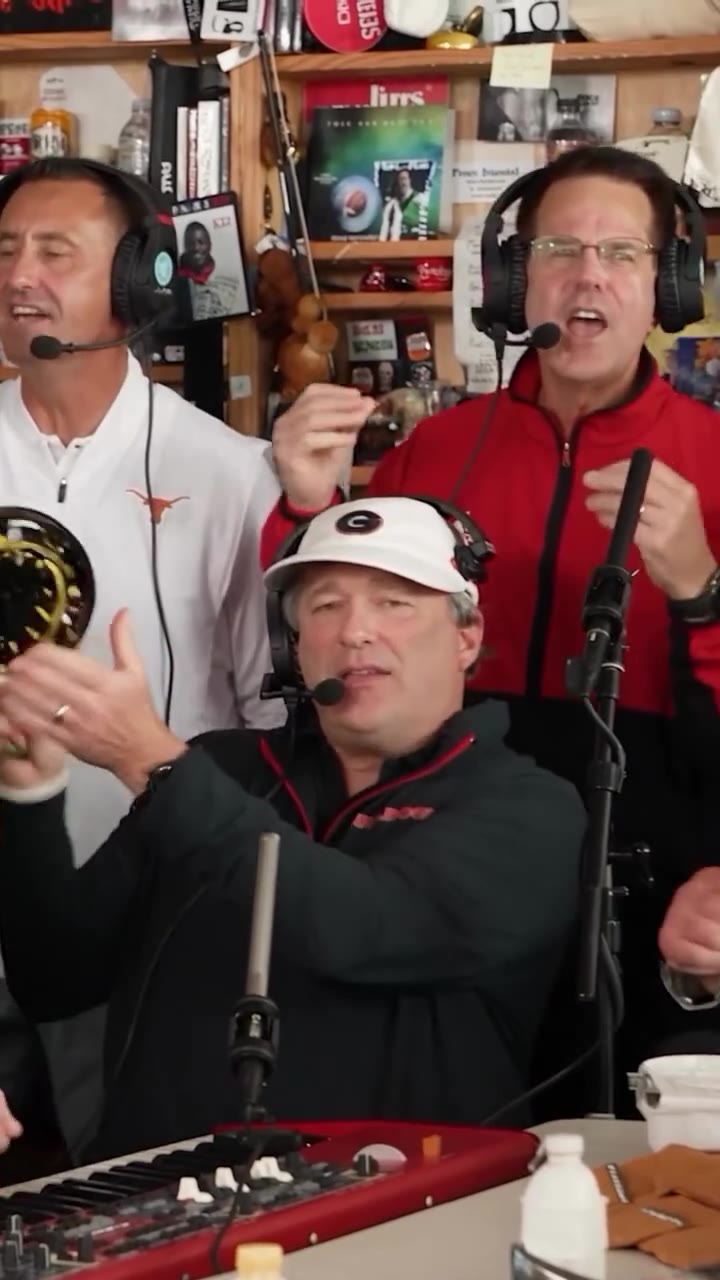
It is the ending of “Outstanding” from Charlie Wilson’s 2023 NPR Tiny Desk Concert, recast with new faces in the band. The song is The Gap Band’s 1982 hit, sung by Wilson, and the Tiny Desk set shows him and his singers crowded around a cluttered office desk.
On 18 October 2026, Nashville songwriter Jake Whipple posted “College Football’s Week 8 All-Loss Tiny Desk Concert”, with five coaches whose teams had just lost in the band. It passed two million views on TikTok, and the format spread: friend groups, fantasy leagues, fan bases and pets all got their own version. That is why you will also see it called the Charlie Wilson Tiny Desk meme or the All-Loss Tiny Desk.
What happens in the clip, shot by shot
- 0 to 5 s, the hook: three singers crowd the desk in headphones, the lead at the red keyboard and two backing vocals behind.
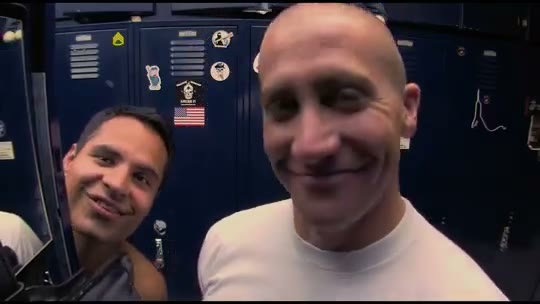
- 5 to 11 s, the close-up: one face fills the frame, grinning, laughing and waving at the camera. Your main photo lands here.
- 11 to 14 s, the sax: the sax player in profile in front of the bookshelves.
Making the Charlie Wilson Tiny Desk meme, step by step
Step 1: Pick the close-up photo
One person per photo, facing the camera, head and shoulders in frame, in even light. No sunglasses, side angles or heavy filters. This is the only photo you need.
Step 2: Fill the other seats (optional)
Open the Tiny Desk video generator and add up to four more photos: the lead at the keys, the sax solo and the two backing singers. Each upload box shows the performer it replaces. Empty seats keep their original performer.
Step 3: Generate and post
Pick a quality and press Generate. Rendering takes a few minutes, and you can close the tab meanwhile. The video keeps the “Outstanding” audio in time with the band; if an app mutes it, add the Outstanding Tiny Desk sound from its own library.
Do you need a prompt or a CapCut template?
Most tutorials build the meme in pieces: write an Outstanding Tiny Desk AI prompt for each shot, generate the shots in a video app, then line them up with the song in a CapCut or Kapwing template. It works, but it takes a while and each shot comes out a little different. With the clip built in, you skip all three steps and only add photos.
Is it free?
Not here: each video costs credits, bought in one-time packs from $9.90, and failed videos are refunded automatically. Free options exist, but usually with a watermark, a long queue or one free try.
Photo tips for the close-up
- Face the camera; the close-up is straight on, so a side angle looks least like you.
- Head and shoulders in frame, with nothing covering your face.
- A smile helps: the AI animates the laugh from your expression.
- One person per photo. Crop group shots down to a single face.